If you make videos, you know the pain.
Coordinating with voice talent for every script revision, paying per session, worrying about their mood that day...
"I'd just record it myself" — but your own voice doesn't cut it.
That stress vanished the day I found ElevenLabs.
Hi, this is Sonetho. ⚡
Today: everything about cloning your own voice. We paid out of pocket for Creator, made a PVC, and learned the hard way — sharing the "don't waste money" tips.
1. Heads up: Starter plan WON'T make a good clone of your voice
Common rookie mistake: "I'll try the cheap (Starter) plan first." Then disappointment.
📊 Clone types — must-read
Instant Voice Cloning (IVC)
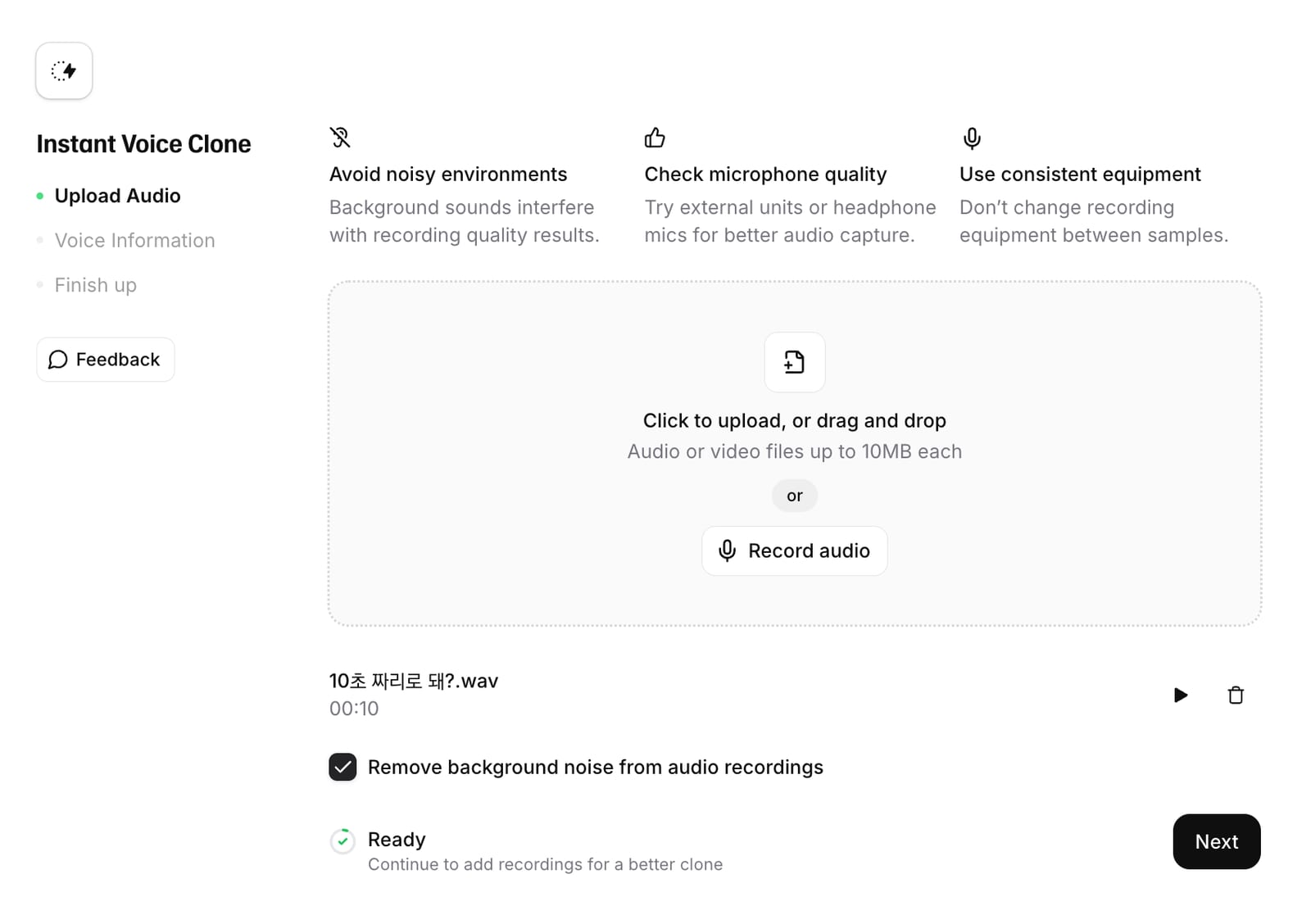
- How: 10-second audio clip → instant clone
- Use case: Better for mimicking other characters than your own voice — won't capture your voice's character
- Plan: Starter ($5) and up
Professional Voice Clone (PVC)
- How: Deep-learning trained on 30 min – 3 hours of your audio
- Quality: Breath, tone, accent — perfectly captured
- Restriction: Voice ownership verification — can't clone someone else's voice
- Plan: Creator ($22) minimum
💡 Pro tip: Want multiple PVCs? Don't drop $1320 on Business plan. Just create multiple Creator accounts.
2. Failure-free PVC recording (home recording)
PVC learns your data verbatim. Noise in → noise learned. Mumbled enunciation in → mumbled enunciation out.
"High-quality input = high-quality output."
🎤 Official guide + Lab field tips
1. Tone consistency (critical)
Don't mix laughing tone + angry tone + news tone in one training set. Record per use case:
- "Calm narration" — one dataset
- "Energetic ad" — separate dataset
Separate clones, separate use cases → far more stable output.
2. Bedroom recording tips (no equipment?)
- Location: A wardrobe full of clothes is acoustic gold — best DIY sound absorption
- Mic: Pro gear ideal (condenser/dynamic), but a smartphone works — IF...
- 🚨 The 2-tissue trick: Lay 2-3 layers of tissue over the smartphone mic. Plosives (P, B sounds) drop dramatically. Doubles as a pop filter.
- Position: Mic slightly off to the side from your mouth — airflow won't hit it directly
3. Official recommended specs
- Duration: 30 min minimum, 2+ hours recommended
- Mic distance: ~15–20 cm (two-fist-width)
- Volume: Consistent, no clipping (-23 dB to -18 dB RMS)
🤔 Wait — are you about to read just any book?
AI performance varies wildly with the training script you read. We built a free AI-optimized training script that boosts PVC quality by 200%.
🎁 Try the cheap option first
Creator ($22) feels steep? Start with Starter ($1–5) + Instant Cloning. Record 1 min of your voice, hear AI mimic it instantly.
If you like the result, upgrade to Creator for the real PVC.
Clone your voice — 50% off first month
▶ Get discount📚 Related
- 200%-PVC-quality training script
- PVC training script — what to read
- Voice Changer review
- Rent out your PVC for passive income
❓ Frequently Asked Questions (FAQ)
Q1. Can my voice be cloned in just 10 seconds?
A. A 10-second sample is for Instant Voice Cloning.
This method is better suited for mimicking other characters or personas rather than capturing the nuances of your own voice.
For high-quality cloning that preserves breathing and intonation, PVC is required, which needs 30 minutes to 3 hours of data.
Q2. Can I clone my voice with the Starter plan?
A. Instant Voice Cloning is available on the Starter ($5) plan and above.
The high-quality PVC (Professional Voice Clone) is available starting from the Creator ($22) plan.
The most common mistake is starting with a lower-tier plan and being unable to access the PVC feature.
Q3. Can I use PVC to clone someone else's voice?
A. No, you cannot.
PVC requires a voice verification process to confirm your identity.
Therefore, it cannot be used to train models using someone else's voice.
Q4. Do I need professional microphone equipment?
A. A smartphone works just fine.
However, you must manage pop noise.
Folding a few tissues and placing them over the microphone will significantly reduce plosive sounds like 'p' and 'b'.
Position the microphone slightly to the side of your mouth and record in a space without echo, such as a closet full of clothes.
Q5. What are the official recording specifications?
A. We recommend at least 30 minutes of audio, with 2 hours being ideal.
Keep the microphone about two fists away, roughly 15 to 20 cm.
Ensure the volume is consistent, keeping it between -23dB and -18dB RMS so it is neither too quiet nor distorted.
Q6. Can I train with multiple voice tones at once?
A. Do not mix them.
Including laughing, angry, and news-anchor tones in a single dataset will lead to inconsistent results.
It is much more stable to record and create separate models for different use cases, such as one for calm narration and one for upbeat advertisements.
Sonetho. ⚡