⚡ 3-Minute Summary
• No more manual studio editing: Tone, intonation, and performance are captured automatically—a significant leap beyond v1.
• Hands-on test: We auto-dubbed a scene from Demon Slayer: Mugen Train into English to put the tech to the test.
• Creator revolution: The era where you can scale your content globally while retaining your original voice is officially here.
Welcome back to Sonetho! ⚡
When we announced the release of Dubbing v2, we promised to put it to the test ourselves. We kept our word. We took a clip from Demon Slayer: Mugen Train and ran it through the Dubbing v2 engine.
To put it bluntly: The performance is stellar. That missing 2% that previously prevented a truly "human" feel? It's not just filled—it's surpassed.
▲ ElevenLabs Dubbing v2 · Auto-dubbing (Japanese to English) · Speaker similarity set to 7
The "v1 Struggles"
As we discussed in our previous post on Anime Dubbing Cloning (Clip vs. Track vs. IVC), the workflow in the v1 era was quite labor-intensive:
Auto-dubbing often suffered from sync issues and questionable translations, making post-production essential.
We had to manually slice the original audio to create specific clones for every character.
Inconsistent tone: Because input clips were limited, the AI occasionally struggled to maintain a consistent character voice across different scenes.
Trial-and-error: We had to regenerate clips repeatedly to capture the right take, and even then, the performance could feel slightly mechanical.
In short, it wasn't quite "AI dubbing for you"; it was more "you dubbing with AI assistance."
v2: Studio-grade results without the studio
Honestly? v2 blew us away.
Without any manual adjustments in a professional booth, and with just a single pass:
It perfectly captures the original speaker's tone and inflection.
It delivers nuanced emotional performance with incredible accuracy.
The tedious manual slicing and cloning process is now a relic of the past.
Compared to v1, this is a massive generational leap.
Give the video above a listen—the "uncanny" AI quality has virtually vanished.
The Secret Sauce: Speaker Similarity
In the Advanced settings, you’ll find a slider called 'Speaker similarity.'
This lets you control the balance between "how much the output sounds like the original speaker" and "how natural it flows in the target language."
For our Demon Slayer test, we used the default setting of 7 (on a scale of 0 to 10).
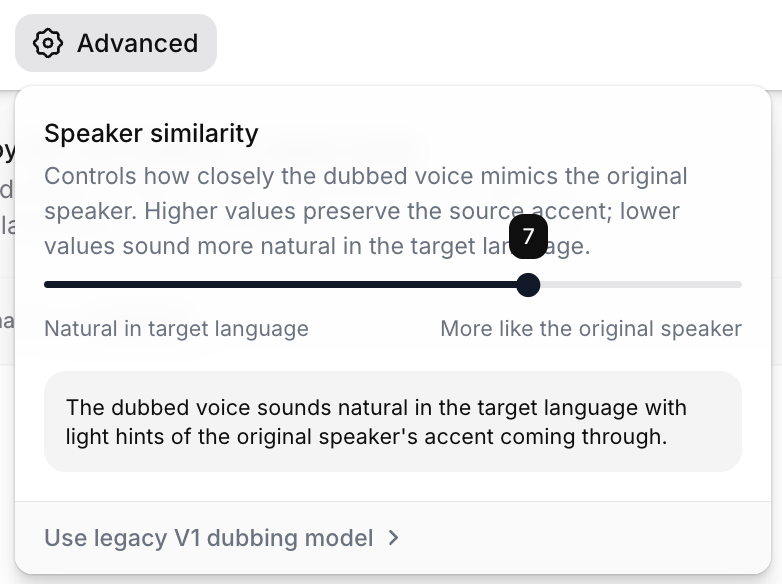
▲ Set to 7 — The ideal balance between natural target-language flow and the original speaker's vocal profile.
You can push this slider to either extreme. We tested the same scene at 0 and 10—see the results below.
Value | Result |
|---|---|
0 (Natural Focus) | Greater emotional range; feels more like a seasoned voice actor’s performance. Slightly less resemblance to the original timbre. |
7 (Recommended) | The "sweet spot" for combining natural cadence with character identity (Recommended: 4–7). |
10 (Similarity Focus) | Maximum similarity to the original speaker. Performance may sound flatter or more robotic in the target language. |
🔊 Speaker similarity 0 — Maximizing Natural Flow
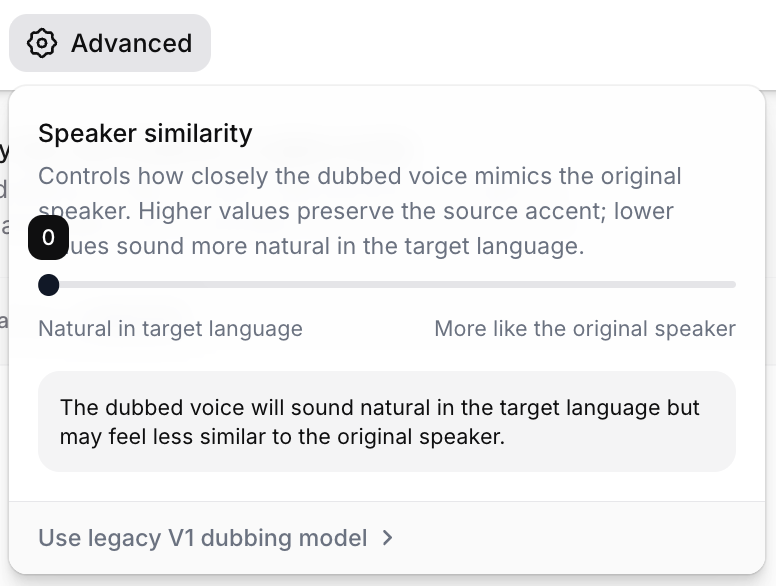
▲ Setting to 0 — Produces the most natural flow for the target language.
Surprisingly, 0 performed exceptionally well.
The emotional delivery felt broader and more theatrical, reminiscent of a professional dubbing actor. While it mimics the original voice slightly less, the overall quality of the English dub felt superior.
🔊 Speaker similarity 10 — Maximizing Original Identity
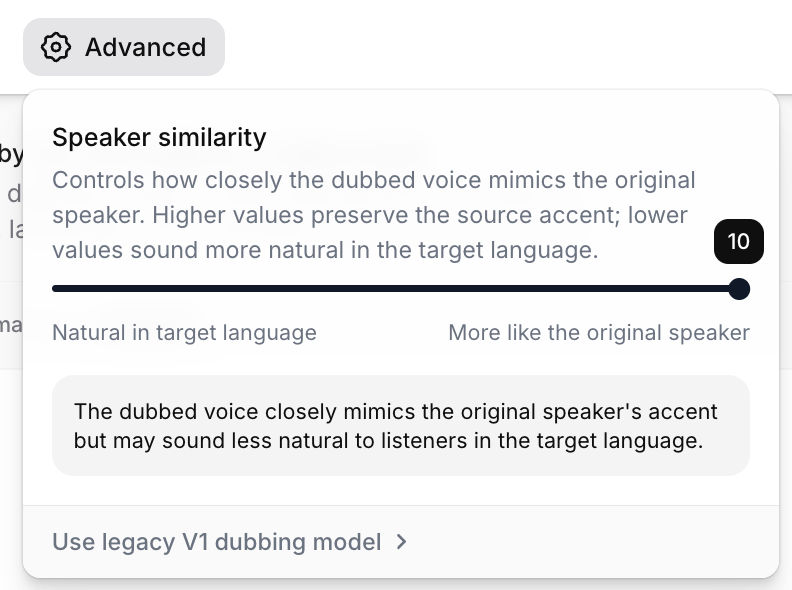
▲ Setting to 10 — Closest to the original tone, but can sacrifice emotional range.
Conversely, 10 felt a bit stiffer.
By forcing the AI to strictly adhere to the original cadence, it lost some of the natural melodic qualities of the English language. We recommend using 10 only when maintaining the exact vocal profile is non-negotiable; otherwise, aim for 4–7 for a high-quality production.
🎬 0 vs 10 — Hear the difference
▲ Compare the same scene with 0 (Natural) vs 10 (Similarity) to hear how it affects the acting.
A quick note: Check your proper nouns
The translation quality is impressive, but you should always double-check your proper nouns.
For instance, in Demon Slayer, the term 'Oni' is officially localized as 'Demons.' Occasionally, an AI might translate it as 'Goblins' or 'Ogres'—which, while technically similar, misses the established terminology fans expect. 😅
Human oversight is still a superpower. We recommend a quick script review to ensure your terminology remains canon-accurate.
💡 Note: Dubbing v2 is currently in its stable launch phase, and we are constantly refining the Dubbing Studio interface. You'll soon have even more control to customize translations and correct terminology directly within the dashboard!
What this means for the industry
When this level of quality is just a few clicks away, it’s more than just an update—it’s a shift in the media landscape.
Dubbing market: The gap in speed and cost-efficiency between professional human dubbing and AI is widening rapidly.
Creators: This is a massive win for scalability.
Global expansion: You can now launch your content in 90+ languages without hiring a massive international cast, all while maintaining your original vocal identity.
If you're serious about taking your YouTube channel or SaaS content global, this is no longer just an "experiment"—it's a requirement.
Want to try it yourself?
Get started with 30 minutes of free dubbing on Creator plans and above (15 mins for Starter, 1 min for Free). That’s more than enough to test your own clips using the same quality we demonstrated today.
※ The link above is an official Sonetho partner link (no extra cost to you).
📚 More Reads
ElevenLabs Dubbing v2: 90+ Languages, Original Performance
Official Announcement · Full v2 Feature List
The 99% Sync Rate Secret: 3 Methods for Anime Dubbing
Pro Tips · Comparing v1 Cloning vs. v2 Dubbing
Complete Guide to ElevenLabs Dubbing
ElevenLabs Tips · Dubbing Workflow
🚀 Final Thoughts
The "robotic" era is officially behind us. While you’ll still want to provide a human touch for final quality control, the starting point has fundamentally changed. Your content is ready to go global—with your own voice leading the way.
❓ FAQ
Q1. What is the biggest change compared to v1?
A. You no longer need to manually edit clips in a dubbing studio to get good results.
In the v1 days, you had to cut every clip and clone the voice individually.
This caused the same character to sound like a different person in every scene.
v2 captures the tone, accent, and emotional nuance of the original speaker in a single generation.
Q2. What is Speaker Similarity, and what should I set it to?
A. This slider adjusts the balance between how much the dubbed voice mimics the original speaker and how natural the translated language sounds.
It ranges from 0 to 10 and can be found in the Advanced menu.
For the Mugen Train dub, I used the default setting of 7.
I recommend adjusting it between 4 and 7 depending on your content.
Q3. Isn't a lower value bad because it sounds less like the original?
A. After testing it myself, I found that 0 was surprisingly the best.
The range of acting intonation was much wider, sounding like a professional voice actor.
Conversely, at 10, the model tried to mimic the original cadence so strictly that the Korean output sounded flat and stiff.
Lower values are often better for content where emotion and performance are key.
Q4. Can I just use the translation as is?
A. The automated translation quality is better than expected.
However, you must manually check proper nouns.
In the official Korean version of Demon Slayer, "Oni" is referred to as '혈귀'.
However, the automated translation translated this as '도깨비'.
While the meaning is understood, fans will immediately notice that it feels unnatural.
Q5. Can I fix translations in the Dubbing Studio?
A. As of this writing, v2 is still in Alpha, so the Dubbing Studio features are not yet active.
It is expected that you will be able to edit translations directly once the official version is released.
This will make correcting proper nouns much easier.
Q6. Can I test this for free?
A. Creator plans and above come with 30 minutes of free dubbing for the first 7 days.
Starter includes 15 minutes, and Free includes 1 minute.
You can easily test the Mugen Train dub shown in this post using this free credit.
Happy creating!
Sonetho ⚡