"I really don't like the sound of my own voice, but I want to keep my emotional delivery..."
"Is there a way to seamlessly transform a male voice into a female one?"
Hey everyone! Welcome back to Sonetho. ⚡
So far, we've mostly focused on Text-to-Speech (TTS), where you type in text and hear it read aloud.
But ElevenLabs has another game-changing feature up its sleeve—one that feels like something straight out of a Mission: Impossible movie.
Meet the Voice Changer (Speech-to-Speech, or STS).
This technology preserves your exact intonation, emotion, and pacing while completely swapping your vocal timbre to sound like an entirely different person.
🎭 Why You Need This (The Ultimate Tool for Creators)
When text on a screen isn't enough to capture true emotion, you can act it out yourself. The AI mimics your performance perfectly, down to the very last breath.
- Gender Swapping: Instantly transform a male voice into a female voice, or vice versa.
- Performance Preservation: Whispering, shouting, laughing, or crying—your exact acting nuances are preserved 100%.
🔊 Hear the Magic in Action
Hearing is believing. We ran a quick test to show you exactly how it works.
1. Original: gravelly male voice (KKC HQ)
This is a recording in the Korean language of a short greeting and a comment about the weather, spoken in a natural conversational tone.
2. Converted (STS): Expressive Female Voice (Rachel)
(Notice how the pitch, pacing, and emotion remain identical, but the vocal identity is completely transformed!)
Incredible, right? It seamlessly captures natural breathing patterns and micro-expressions without any of that artificial, robotic feel.
That is the true power of our latest Voice Changer (Speech-to-Speech).
🛠️ How to Use It (Done in 30 Seconds)
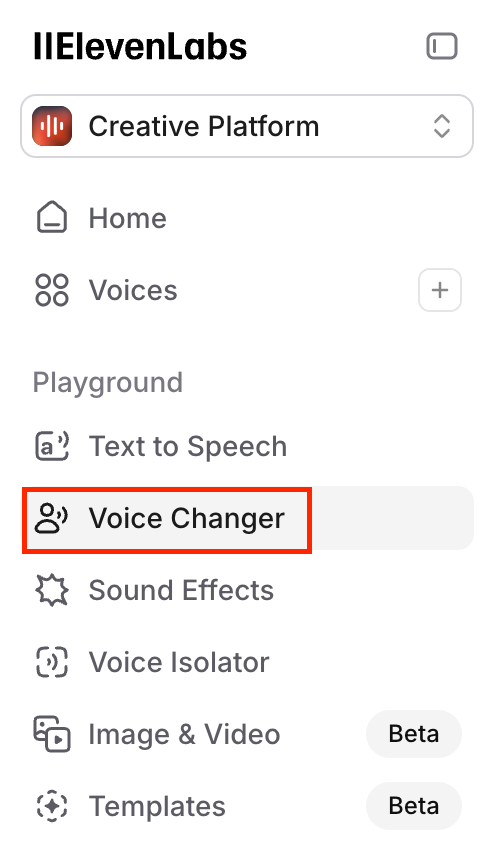
1. Select [Voice Changer] from the sidebar menu.
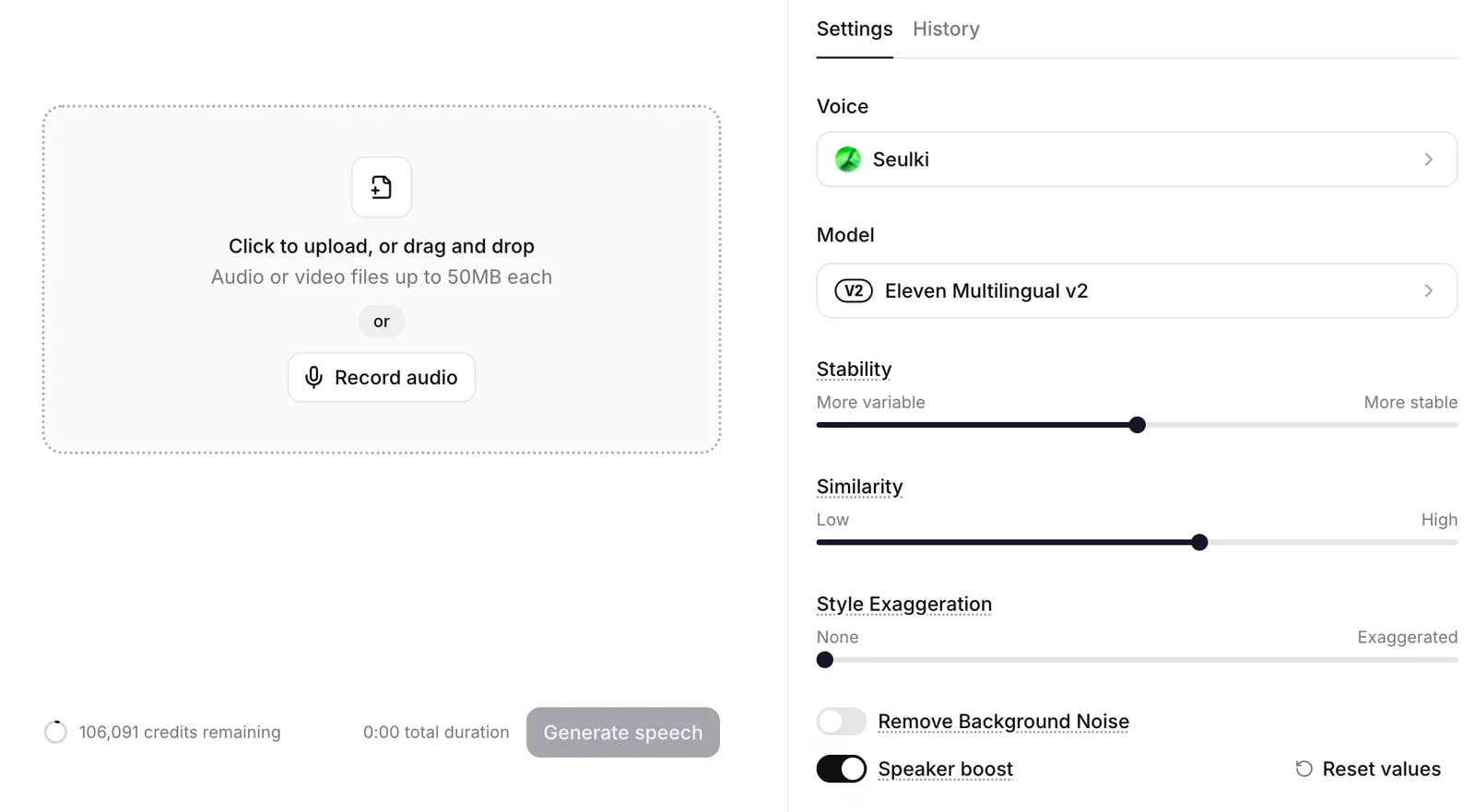
2. Choose your target AI Voice. (We selected "Rachel" for this demo.)
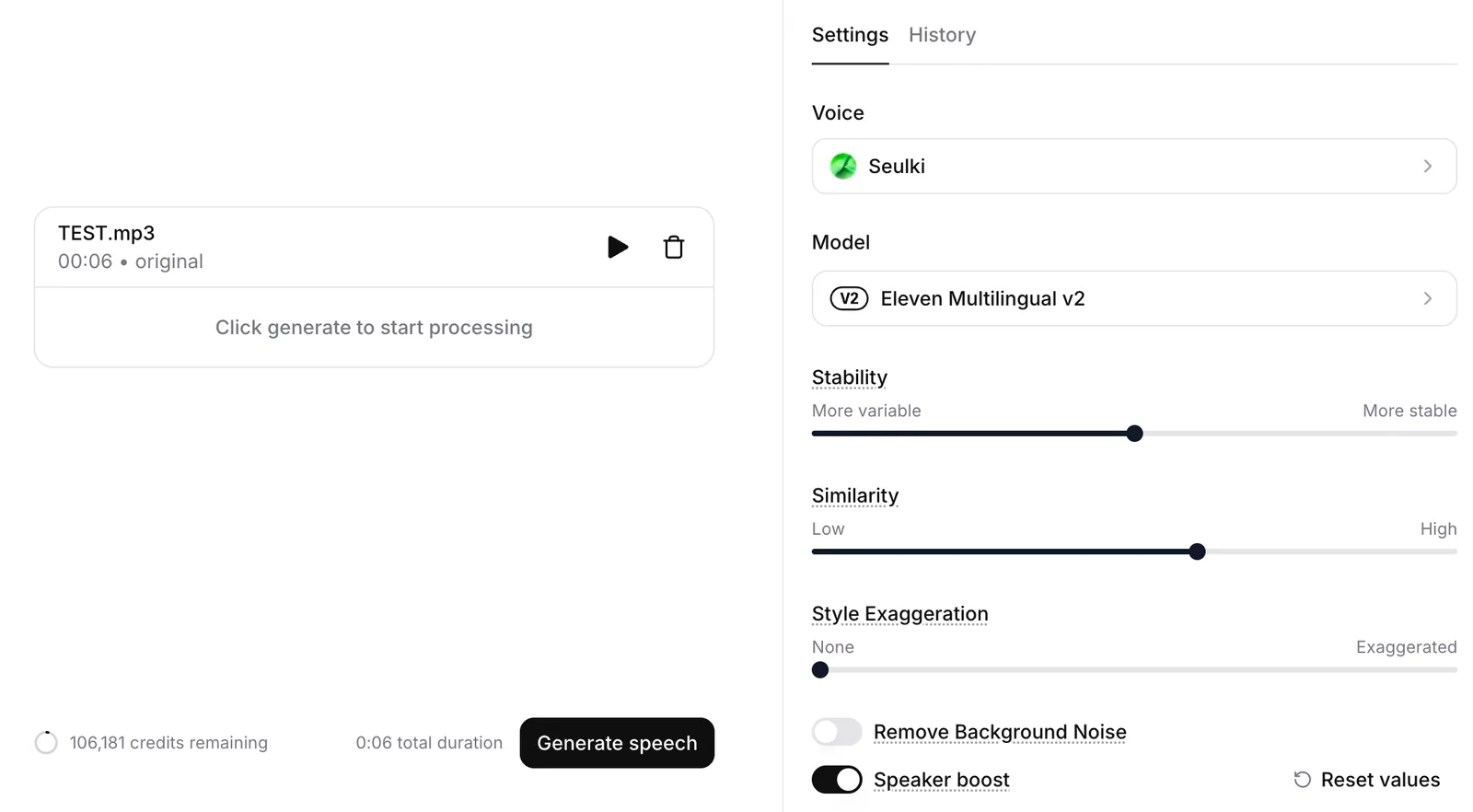
3. Click [Record Audio] to record directly, or upload your pre-recorded audio file. (Consumes 1,000 credits per minute of audio)
4. Hit [Generate speech] and you're good to go!
💡 Editor's Pro Tips
For the cleanest output, ensure your original input audio is free of background noise. If you are recording with a smartphone, try recording in a quiet closet or under a heavy blanket to dampen ambient room echoes.
Keep Stability and Similarity at their default values (the 50–60% range is usually the sweet spot).
🔠 Mastering English Pronunciation Nuances:
When using STS or our latest v3 and Flash v2.5 models, be mindful of homographs (words spelled the same but pronounced differently, like read [reed/red], lead [leed/led], wind, or bow). If the AI struggles with specific acronyms (e.g., pronouncing "CEO" as "see-ee-oh" versus reading "NASA" as a single word), or with special symbols like $ and time markers (AM/PM), try delivering your raw voice input with hyper-clear enunciation. For foreign loanwords like déjà vu, keep your natural pronunciation intact in the input, and the AI will mirror it perfectly.
Wrapping Up
You don't need to be a trained voice actor, and you don't even have to like the sound of your own voice.
With just a little bit of performance on your end, ElevenLabs elevates you to a world-class voice talent.
While this feature is incredibly powerful, the free tier does have its limits. We highly recommend upgrading to fully unlock its potential.
(Unleash your creativity with the Starter Plan at $5/mo or the Creator Plan at $22/mo to enjoy high-quality generations and expanded credit limits!)
Thanks for reading,
The Sonetho Team ⚡