
"Why does my AI dub sound so robotic?"
"Why does the voice tone shift from one sentence to the next?"
The secret lies in how you approach voice cloning.
Hello! Welcome to Sonetho. ⚡
Did you catch our latest dubbing showcase featuring a classic anime clip? If you missed it, check out the video below to see what we're talking about.
When working on character dubbing, the primary challenge is maintaining a consistent character identity while capturing the raw, nuanced emotions of the original performance.
ElevenLabs Dubbing Studio offers three core approaches to master this. I’ve spent countless hours testing these workflows, and I’m sharing the pros, cons, and my personal pro-tips below.
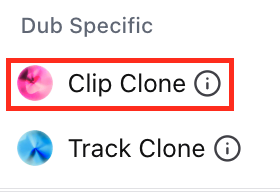
🔍 Method 1. Clip Clone (The Instant Capture)
This method analyzes and clones the voice from each individual audio clip instantly.
👍 Pros (Emotional Nuance):
It captures the specific emotional state—such as anger, tears, or laughter—within that clip with high fidelity. This is excellent for short-burst, high-impact moments.
⚠️ Note: You may need to regenerate the clip a few times to get the perfect take, which can consume your character quota more quickly.👎 Cons (Inconsistency):
Because the training data is limited to a short clip, the voice tone, accent, and timbre can fluctuate between takes, occasionally causing the character to sound like a completely different person.
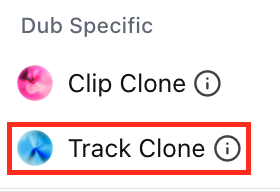
🔍 Method 2. Track Clone (The Average Baseline)
This method aggregates all audio within your track to analyze and clone an "average" voice profile.
👍 Pros (Stability):
By utilizing a larger pool of training data, the voice tone remains consistent and stable. It is the ideal choice for maintaining character recognizability across long, dialogue-heavy scenes.👎 Cons (Lacking Emotion):
In high-intensity scenes, the AI may lean too heavily on the "average" profile, leading to a flatter performance. You might find a newscaster-like delivery when the character should be screaming in distress.
🔍 Method 3. IVC + Mimic (Editor's Choice ⭐)
Create a high-quality voice using Instant Voice Cloning (IVC), and enable the Mimic Original Emotion setting during the dubbing process.
✅ The Editor’s Strategy
Collect high-quality samples of the character to create a robust IVC profile. This establishes a solid, consistent baseline.
Select that voice profile within your Dubbing Studio track.
In your settings, enable [Mimic Original Emotion]. This bridges the gap by injecting the original source's emotional intensity into your stable custom voice.
This hybrid workflow provides the best of both worlds: the "character stability" of a custom clone and the "raw emotion" of the original performance.
🛠️ Fine-tuning: Using Inherit Track Settings
"I want just this one line to sound a bit different..."
For those moments, stop relying on global track settings and start tweaking individual clip settings.
Next to the track name (e.g., "Narrator") on the left side of your timeline, the Gear icon opens your Track Settings, where you establish your base voice profile.
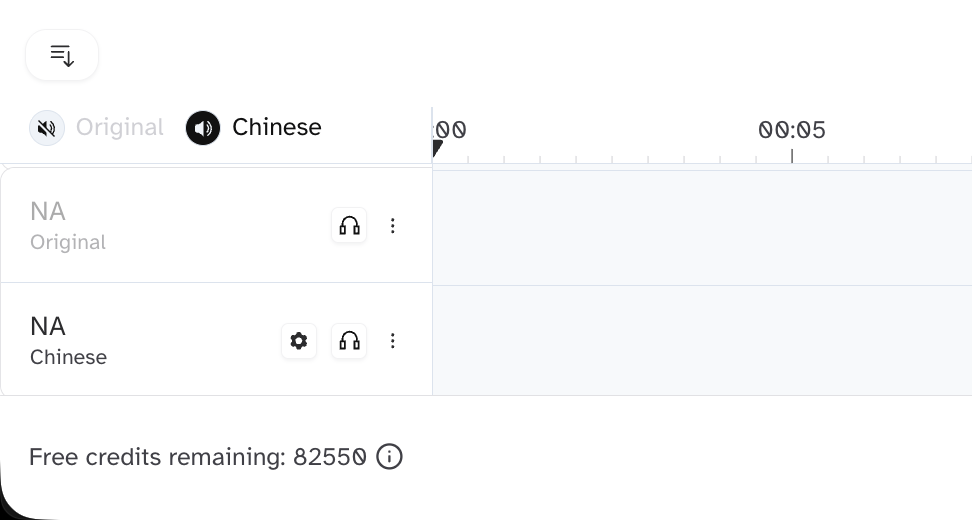
Need to dial up the emotion for a specific line? Click on the individual clip and look at the right-hand panel.
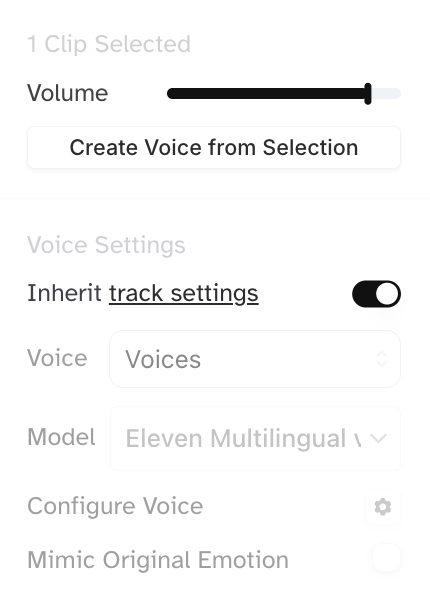
🔓 Toggling off "Inherit track settings"
When you switch this to OFF, you can customize that specific clip independently. Try lowering the Stability or adjusting the Mimic Original Emotion intensity to achieve the perfect dramatic effect.
Final Thoughts
AI dubbing is more than a single click. Understanding when to leverage Clip, Track, or IVC is what separates beginners from pros.
Mastering these features requires a bit of experimentation. Grab the Creator plan ($22/mo) or Pro plan ($99/mo) to ensure you have enough character credits to build your own dubbing expertise.
Start Your Dubbing Journey with ElevenLabs
Happy dubbing!
Sonetho ⚡