"Wait! Are you really leaving?
Please don't go... We'll give you 30% off!"
Hey there! Welcome back to Sonetho. ⚡
Today, we're diving into a slightly sensitive but highly requested topic: how to properly cancel your subscription.
Thinking of taking a break, or is the monthly subscription weighing a bit too heavily on your production budget? Even with the incredible voice output of ElevenLabs v3, Multilingual v2, and the lightning-fast Flash v2.5, keeping expenses in check is a smart move. If you're looking to hit pause, make sure to read this guide to the very end before you click that cancel button.
We’ve uncovered a hidden 'Retention Offer' that ElevenLabs uses to keep creators on board.
With this simple workaround, you can instantly shave 30% off your next bill.
1. How to Find the Cancellation Menu
Finding the cancellation button can sometimes feel like a treasure hunt. Follow these steps to get there instantly:
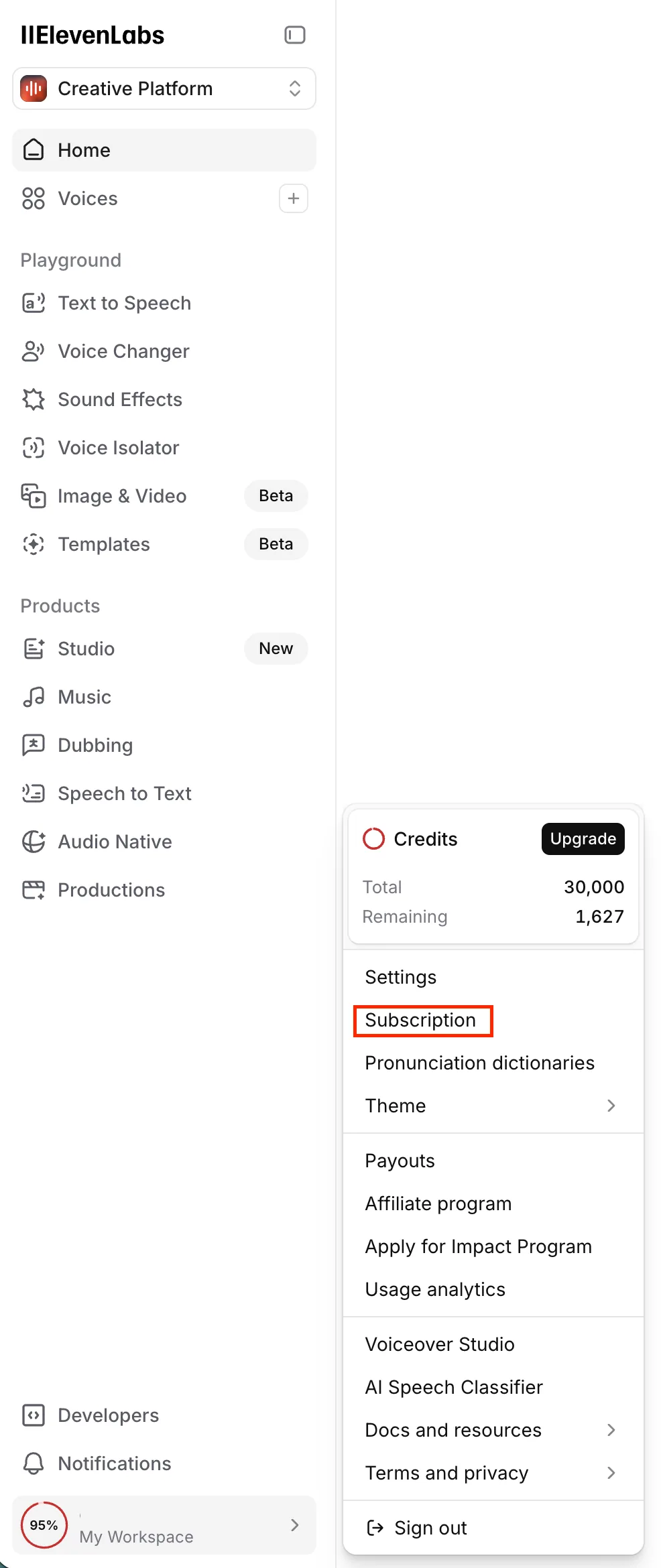
STEP 1. Access Your Subscription Settings
Click your Profile Icon in the bottom-left corner and select [Subscription].
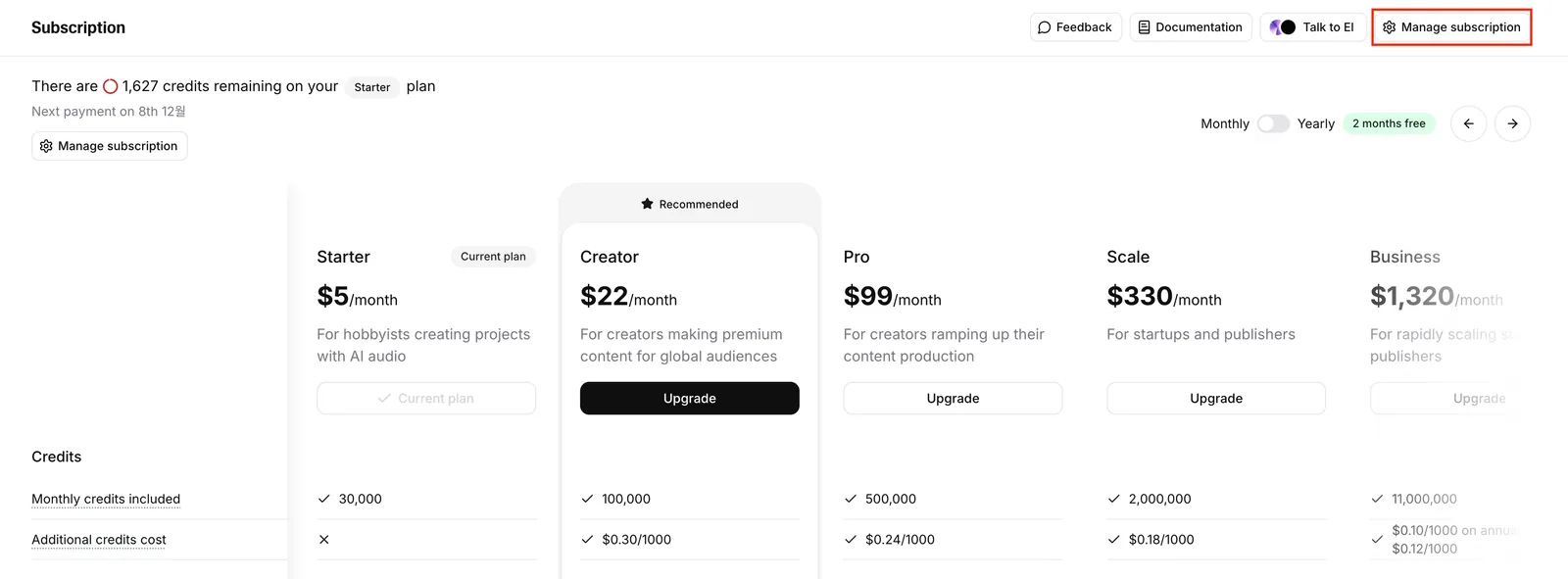
STEP 2. Manage Your Subscription
On the subscription dashboard, click the [Manage subscription] button in the top right.
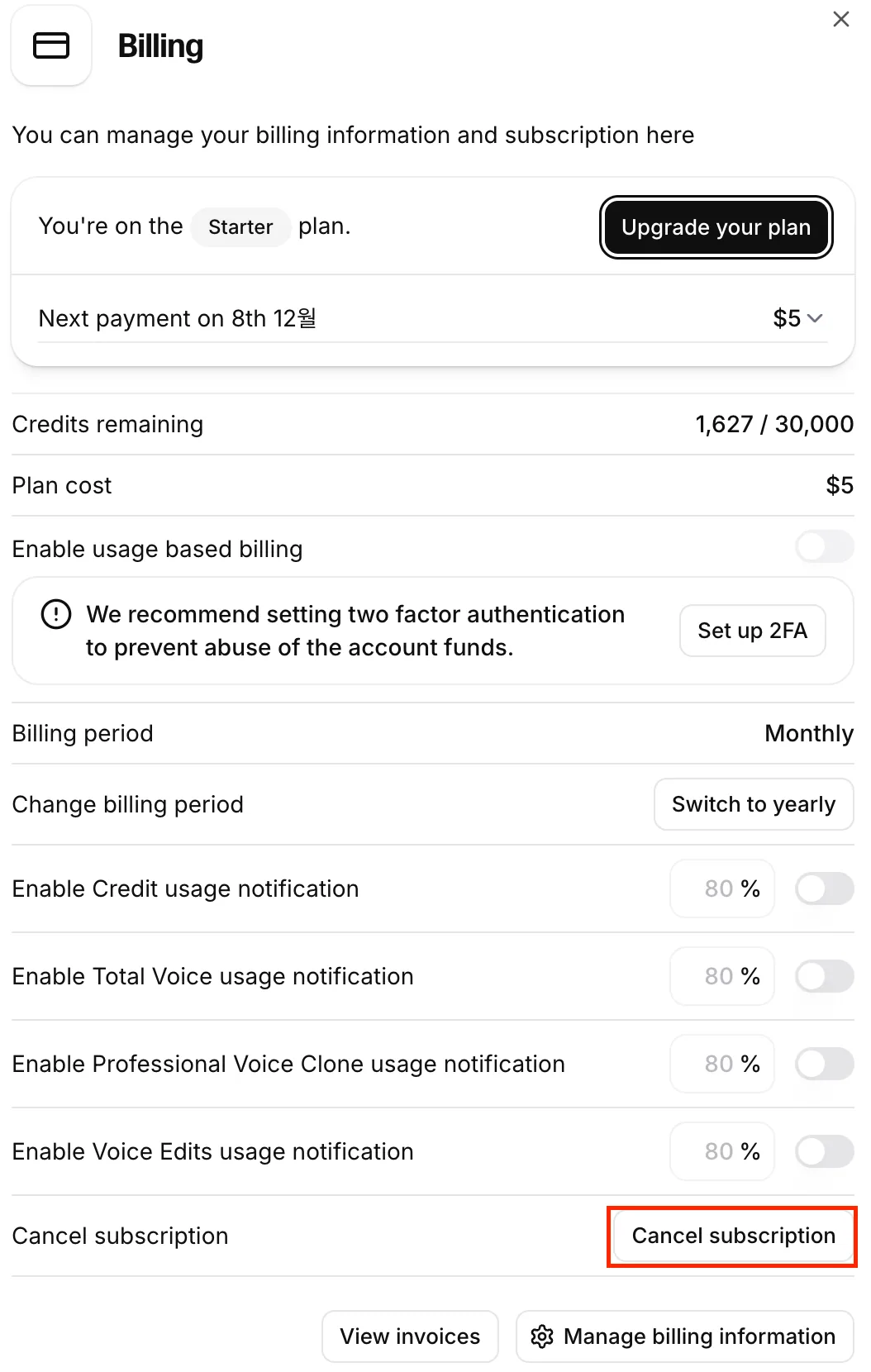
STEP 3. Find the Cancellation Link
Scroll all the way to the bottom of the page. You will see the [Cancel subscription] link in the bottom-right corner.
2. Wait! Here's What You Lose If You Cancel (Read This First)
When you initiate the cancellation, ElevenLabs will prompt you with a warning screen: "Are you sure you want to leave? Look at what you're losing."
This isn't just standard marketing copy—you will lose access to critical assets, so make sure you're fully prepared before moving forward.
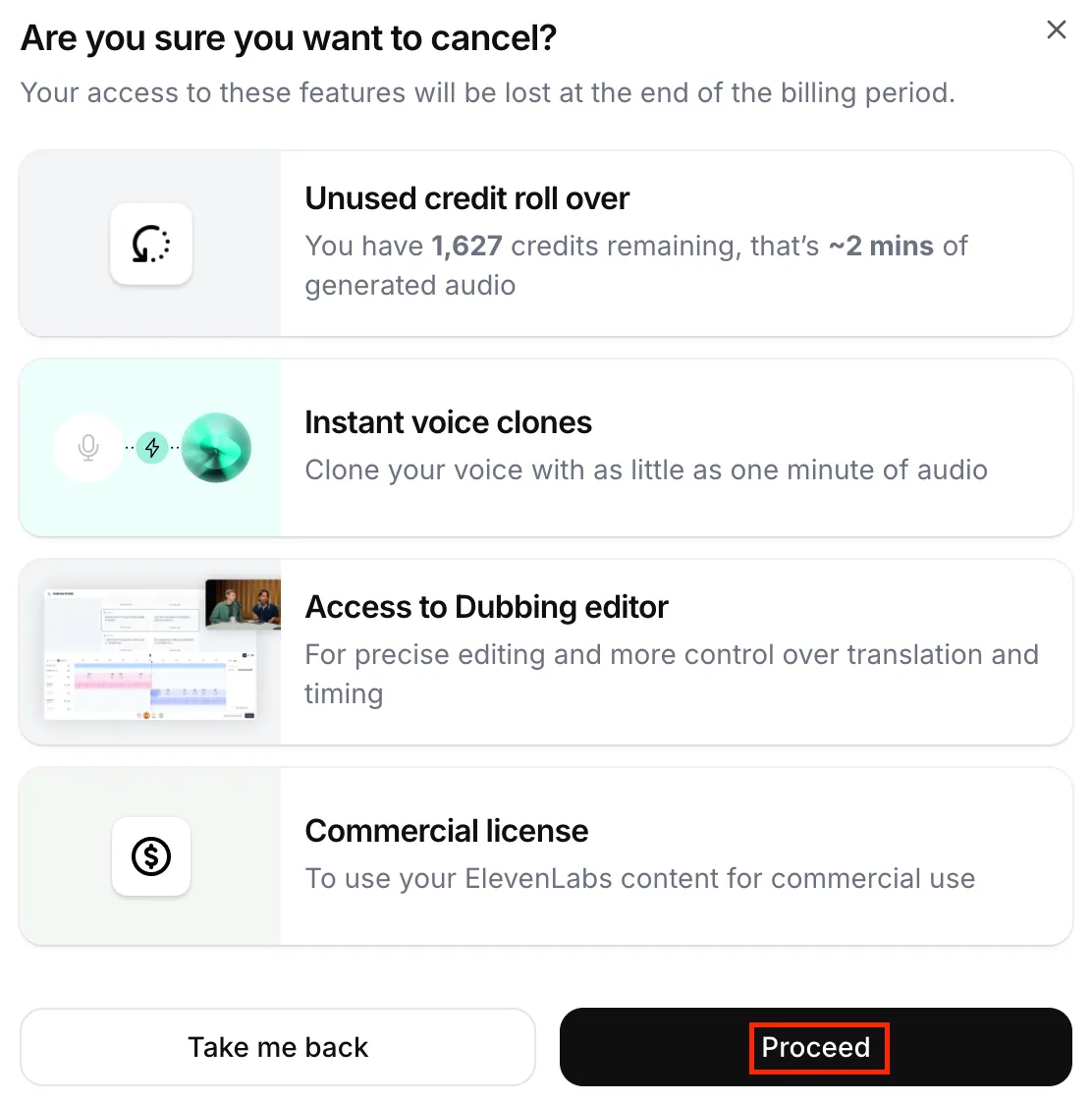
🚨 Critical Losses Upon Cancellation:
- Unused Credits Expire: Any remaining monthly credits will instantly vanish at the end of your billing cycle and will not roll over.
- PVC Lockout: Your highly customized Professional Voice Clones (PVC) will be locked. You will temporarily lose access to your fine-tuned models—including custom pronunciation dictionaries. These dictionaries are crucial for handling tricky homographs (like *read* /riːd/ vs. /rɛd/), acronyms (e.g., pronouncing 'NASA' naturally while spelling out 'CEO'), and style nuances (like currency symbols [$] or AM/PM formatting).
- Loss of Commercial License: Once you downgrade to the Free Plan, you forfeit the right to use any newly generated audio files for commercial projects.
If you still want to proceed, click the dark [Proceed] button.
(You can safely breeze through the brief cancellation feedback survey.)
And that's when... ElevenLabs reveals its best-kept secret.
3. Grab the Hidden 30% Discount (The Retention Offer)
This is the real golden nugget of today's guide.
If you follow the cancellation flow all the way to the end, the system will make a last-ditch effort to keep you on board by offering a direct discount coupon.
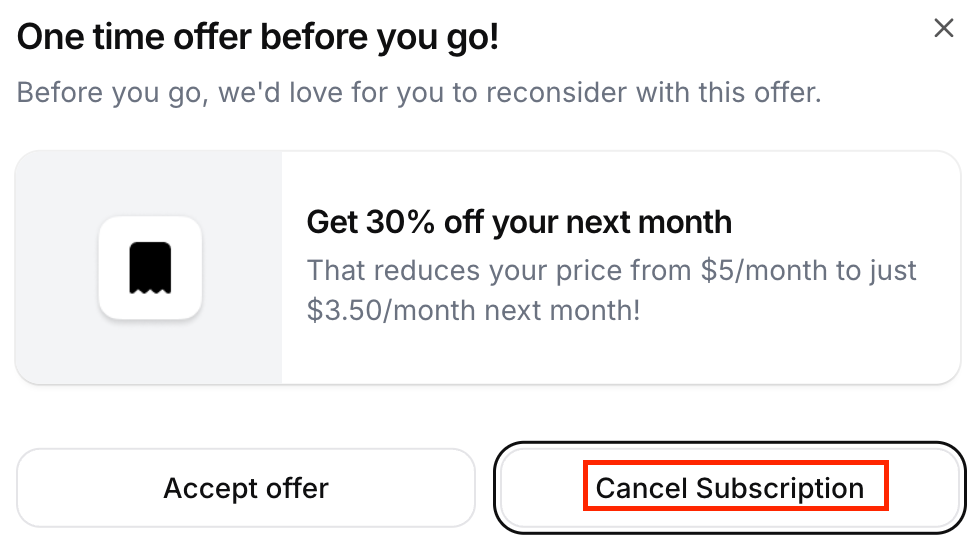
🎉 Get 30% off your next month
"We'll slash 30% off your next month. Would you like to reconsider?"
💡 The Editor's Advice
If you want a "complete breakup", click [Cancel Subscription] on the right.
If you want to "stay for cheaper", select [Accept offer] on the left.
→ This instantly drops your next bill by 30% (Starter Plan: $5 → $3.50 / Creator Plan: $22 → $15.40)!
Wrapping Up
Today, we looked at how to leverage ElevenLabs' retention system to keep your subscription costs down.
Keep in mind that this retention discount is typically a one-time offer per account, so use it strategically when you need to stretch your budget.
Haven't started your ElevenLabs journey yet?
If you sign up today, you can get 50% off your first month of the Creator Plan—getting you started for just $11.
Thanks for reading, and happy creating!
Sonetho ⚡